
 United Arab Emirates
Control-room commanders and field responders on one platform, across the whole emergency lifecycle.
- Client
- ENOC
- Sector
- Energy · Emergency response
- Market
- United Arab Emirates
- Platforms
- Operations web dashboard · Field mobile apps · CMS
- Users
- Control-room commanders · Field responders · Administrators
A unified digital platform that connects ENOC’s control-room commanders with field responders to manage the complete emergency lifecycle in real time. It brings four operational systems together (command and control, incident reporting, infrastructure information and equipment inspection), each designed through interactive wireframes, UI designs and mockups to align with stakeholders before development.
- An emergency alert has to reach responders the moment it is raised, even when the app on their phone is closed.
- Commanders work in the control room and responders work on site, on phones and tablets, yet both need the same live picture of every incident.
- Incident details are sensitive operational information, so they had to stay inside ENOC’s signed-in systems rather than travel through outside notification services.
- Staff sign in with their corporate accounts, and when someone is deactivated or changes role, their access has to change at once.
- Inspections, checklists and shift records had to move off paper and keep working where there is no connection.
One .NET 9 API serves two clients: a Blazor dashboard for the control room, and a single Flutter field app with separate layouts for phones and tablets.
Alerts reach every registered device at once and open full-screen on Android, even when the app is closed, while the incident details themselves stay inside the signed-in app.
Each permission is scoped to a device type (phone, tablet or both), which decides which device may act on an incident.
Staff sign in with their corporate accounts, and access is withdrawn the moment someone is deactivated or changes role.
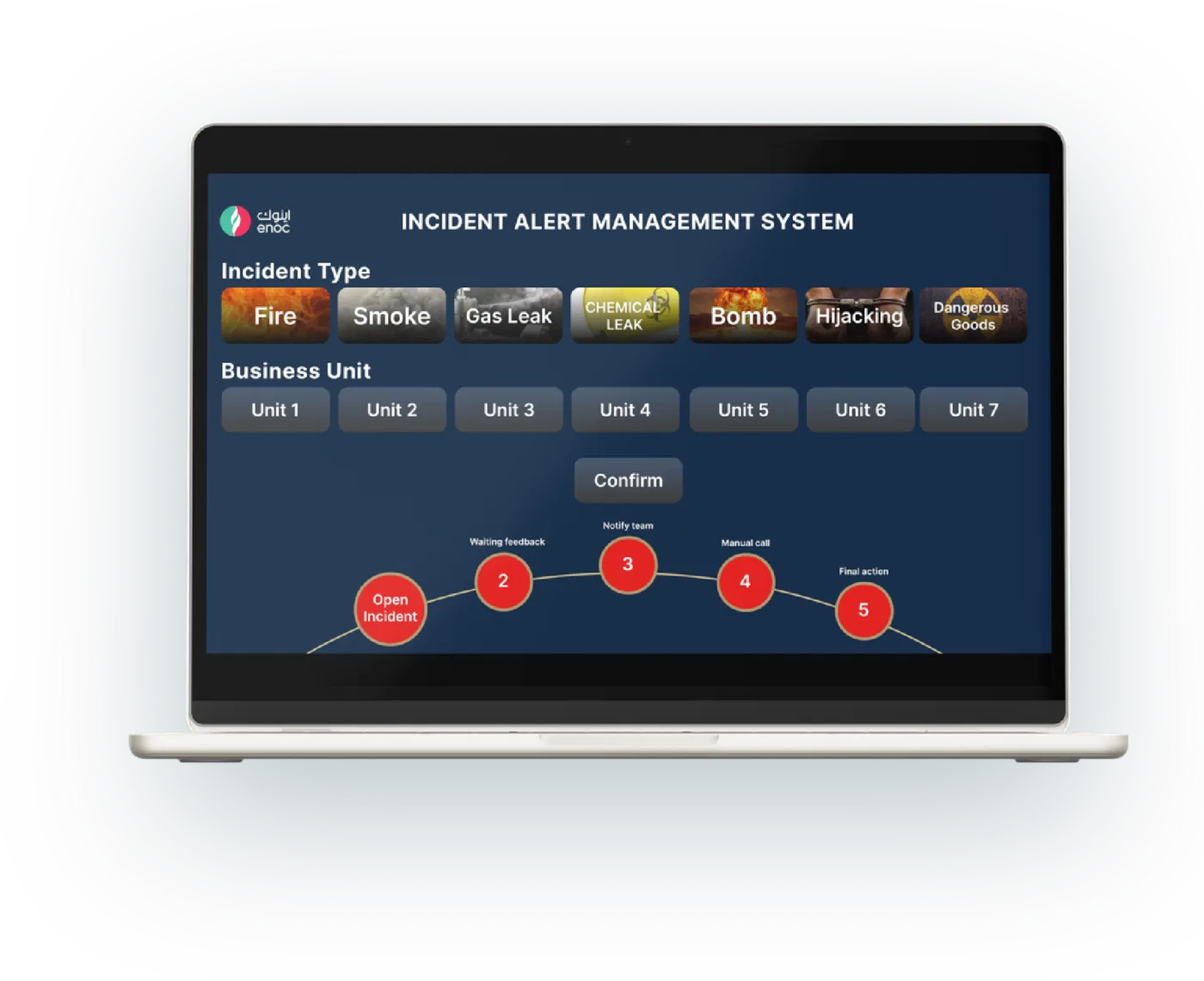
Control-room dashboard
- Incidents raised by type and business unit
- Alert, close and stand-down signals to registered devices
- High-priority alerts with real-time tracking
- Analytics reports, access control and a customised CMS
Alerts in the field
- Full-screen alerts on Android, even with the app closed
- Incident details shown only inside the signed-in app
- Permissions per device type: phone, tablet or both
Field operations
- Equipment inspections with paperless checklists, photos and electronic signatures
- Shift tracking, operation readiness and tank screens
- Interactive maps and on-device storage that work offline
- A training library
Sign-in & access
- Corporate single sign-on, or username and password
- Access withdrawn at once on deactivation or a role change
- English interface with optional Arabic
We make your competitors jealous.Don’t wait, call us
You’re one click closer to having your technology partner. Tell us about your idea, and we’ll come back with a plan, not a pitch.